Use custom schemas
As an administrator, you can configure which schema Inspire uses when an author chooses the Validate XML, Export, or Publish options in the Components browser.

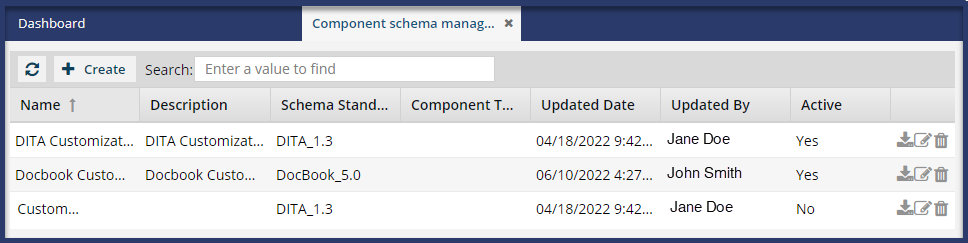
 Before you can create a custom schema, you must allow for its usage. Follow the steps in: Allow the use of a custom schema.
 Tips and Tricks
- By default, Inspire provides built-in schemas, and these are used if no custom schemas are defined.
- The provided schemas are (DITA 1.2, DITA 1.3, DocBook 5.0).
 Manage component schemas
 - If you define a custom schema, Inspire uses it for validation in the Components browser. Follow the steps in:
- You can upload Schematron files to use for validation. Add a Schematron validation configuration
- If you have multiple active schemas, you can create Validation Configurations to let the user choose which set of standards to use. Manage validation configurations
- The provided schemas are (DITA 1.2, DITA 1.3, DocBook 5.0).
- By default, schemas you add have the Active option selected. When Inspire looks for schemas to use, only those marked as Active are identified. If you don't want Inspire to identify this schema as available, clear this option.
- The Active option is useful if you want to test schemas. For example, you can upload two schemas and switch back and forth between them.