Upload Schematron files
You can use Schematron to validate XML when your validation rules go beyond what an XML Schema (XSD) can easily express. Schematron uses XPath expressions to check assertions about the XML document.
 Before you begin
- Schematron files must use the .sch file extension, so that after uploading they have a Component Type in Inspire of Schematron.
- An .sch file is itself an XML document that contains Schematron rules, patterns, assertions, and reports. For example:
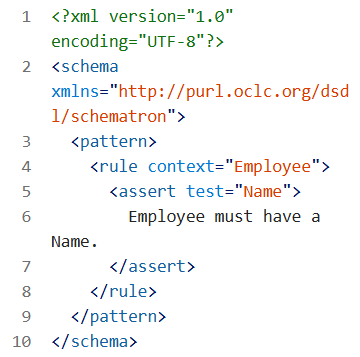
- Inspire does not provide any Schematron files. You must create these yourself. For more information, refer to the Schematron website: https://schematron.com/.
- As a best practice, create a sub-folder for your Schematron files. Follow the steps in: Create a folder using the right-click menu.

To upload Schematron files:
-
Click
 Components.
-
To complete step 4 of 4, click Finish.
 Results:
You see a message that the import process has begun. You'll receive an email when the import completes.
 Important tips:
- Inspire either assigns a unique ID to all elements that don't have one, or only to supported elements. This is configured by your administrator.
- You can verify that you imported the correct file by looking at the preview displayed in the Components browser in the More component information panel.
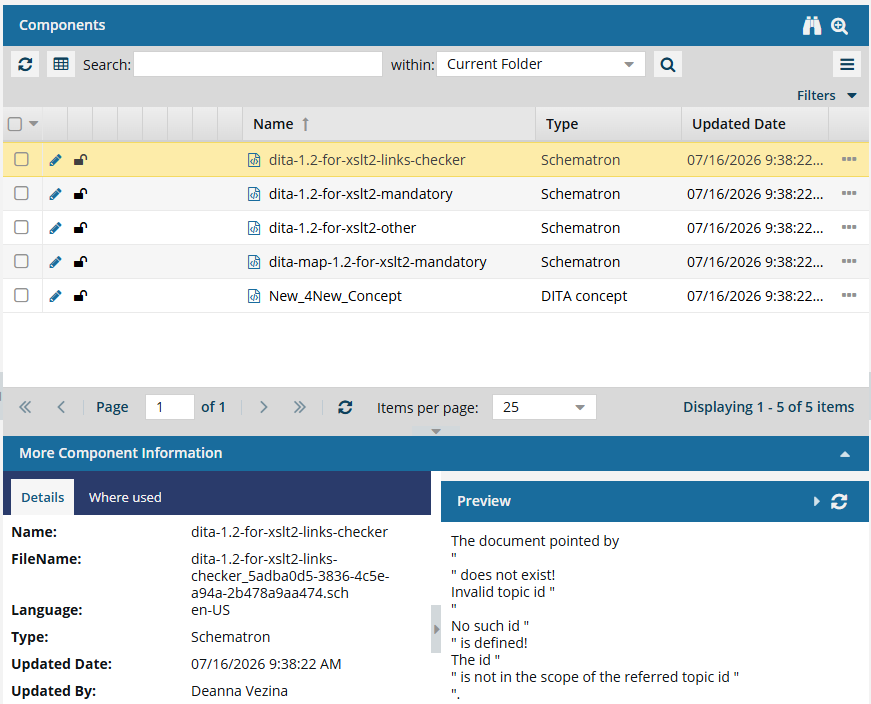
 Important warnings:
- If you import a ZIP file that contains folders and references using the shorthand syntax (#./), the imported components may display an invalid relationship icon. To import a ZIP file that uses a shorthand syntax and see valid relationships, an administrator must Allow internal links to use a short format.
- If you see the following message, read Understanding import error messages.
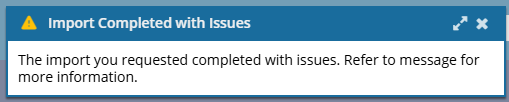
 Importing the Schematron files is only the first step. To give users the option to validate their XML components with your Schematron files, you must Create a Schematron validation configuration.