Update the topic workflow template
Inspire provides you with a template for the process of developing content. If you want a workflow that contains different steps, or you want to add actions or transitions between activities and manage workgroups, you can update the workflow template to tell Inspire how to automate the workflow you need.
There are three main parts to a template:
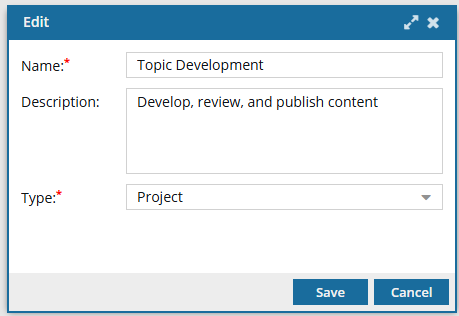
 The details. This includes the Name of the template and it's Type.

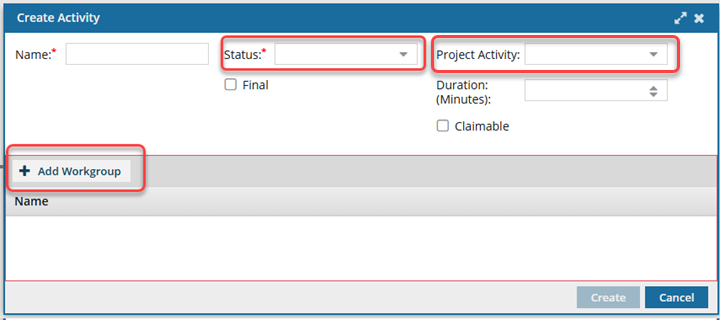
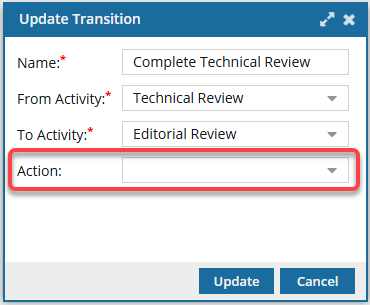
 The building blocks. This includes the options you must select when creating workflow tasks (Activities and Transitions). Inspire provides a few default options, but you can edit them or create your own.
- If you aren't sure what specific options you might need before creating a workflow, you can add new ones at any time.
For Activity configurations, you should build the options you need for Status, Project Activity, and Workgroup.
For Transition configurations, you should build the options you need for an Action.
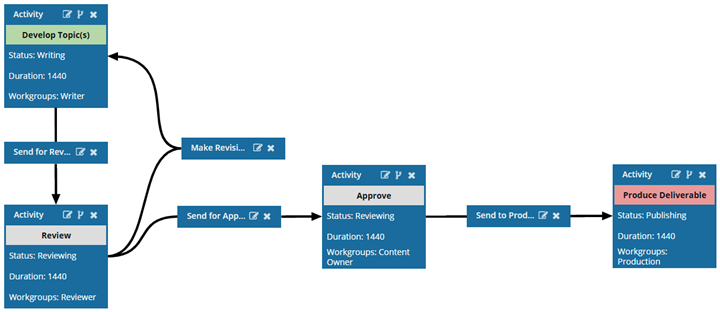
 The workflow. This includes the order of Activities and how the process moves from one Activity to the next using Transitions.
 Before you begin
- The changes to a template will be applied to all new workflows that are started using this template.
- For workflows that use this template and are in progress:
- If the Activity or Transition you are updating has not occurred yet, the changes will be applied when the workflows moves to the updated Activity or Transition.
- If the Activity or Transition you are updating has already been completed, the changes will not be applied.
To update a topic workflow template:
- Update the details for a topic workflow template.
- Update the building blocks for a topic workflow template.
- Update Activities and Transitions for a topic workflow template.