Work with review discussions
As a reviewer, you can add comments about a single component or an entire review in a discussion thread using the review's Collaboration panel. Use this feature when you don't want to add comments directly in the review content using the Review editor.
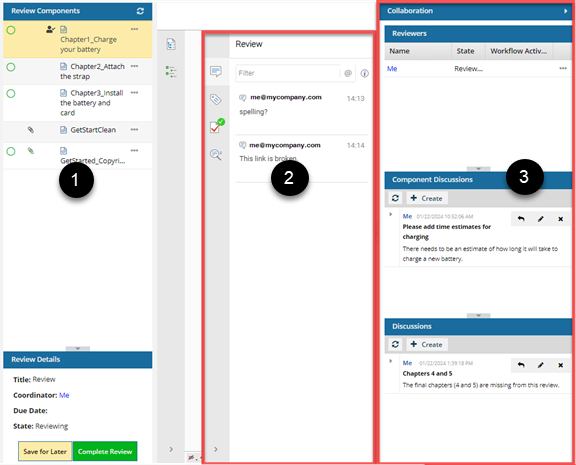
 Review Components panel. Use this list to select a component to start a discussion about. After you select a component, the discussion thread specific to that component is loaded.
 PDF. A red document icon with a red A logo used by Adobe for PDF files.
 Microsoft WORD. A blue document icon with a blue letter W to identify Microsoft Word text files.
 Microsoft EXCEL. A green document icon with a green letter X to identify Microsoft Excel spreadsheet files.

 Review panel. Use this area to see comments applied directly to specific content in a specific component. After you select a component, the comments specific to that text are loaded.
 Collaboration. Use this area to see all the users participating in the review. This panel is opened for you automatically. All comments and replies are shown by default. You can work with discussions at the component level (Component Discussions) or at the review level (Discussions).
 Tips and tricks
Adding a comment outside the component text is helpful when:
- A component has a Scope of Context Only.

- There are too many comments in the component already. (Text added to the Component Discussions pane is not shown in the review editor.)
 Each component in a review has its own Component Discussions pane. Select the component you want to discuss first, and then open the Collaboration panel, go to the Component Discussions pane, and add text.
 The discussion panes (for a specific component and the entire review) are always shown in a review, regardless of component type or user permissions.
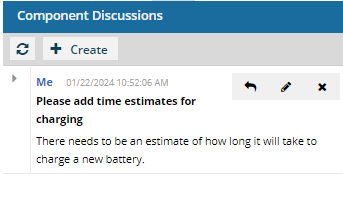
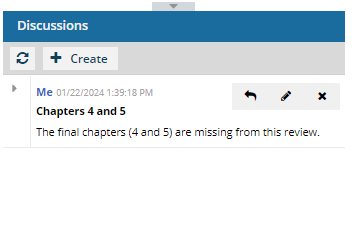
- Review coordinators and administrators can only edit and delete messages when the review is in the State of Resolving.
- If you are the review coordinator or the reviewer who started a thread, you can delete it if there are no replies. If there are replies, you must delete all your replies and have the other users delete theirs before you can delete the thread.
 Before you begin
- In the Reviewing state,
- Reviewers can add, edit, and delete their own comments and replies in the Collaboration panel until all users have completed their review or the review is cancelled.
- Review coordinators cannot edit or delete other reviewers' comments. This can only be done in the Resolving state.
- When the review is in the Resolving state:
- Users who are not the review coordinator or an administrator can open the Collaboration panel, but the following panes are greyed out and not available: Component Discussions and Discussions (for the entire review).
- Only the review coordinator or administrator can edit or delete messages in the Component Discussions and Discussions (for the entire review) panes.
- No new discussions can be saved by any type of user.
- If you are working with Component Discussions, the Create button is enabled but is not currently working.
- If you are working with the Discussion pane, after clicking Create and entering some text, you see the following warning: "Discussions can only be created during the review phase."