Work with Topic workflows
After you create a workflow to manage content development in a workflow, you can update the Due Date, track the workflow's progress, review notes left by users when completing a task, and see a graphical representation of the workflow's progress.
 The options available to you when managing a Topic workflow are different than the options you have when managing a Sequential Reviewer workflow.
- Reviewing notes and seeing a graphical representation of the workflow's progress is only available for Topic workflows.
- You can only add a reviewer to a Sequential Reviewer workflow.
 After you start the workflow, Inspire captures a snapshot of all components included in an assignment each time a workflow activity is completed.
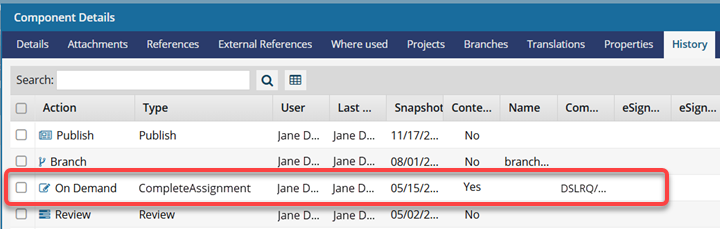
This snapshot is labeled with the following information:
Action = On Demand
(Process) Type = CompleteAssignment
Comment = Project Name/Workflow Name/Assignment Name