Use the Workflows module
You can use the Workflows module to see all project assignments created in Inspire in one place. Otherwise, if you wanted to see all your assignments you would need to open each project separately.
- The Workflows module contains two tabs.
- Projects. You can see all project workflows listed. This list shows you all workflows created across every project in Inspire. By default, workflows that have been Completed or Cancelled are not included, but you can select an option to add them to the list.
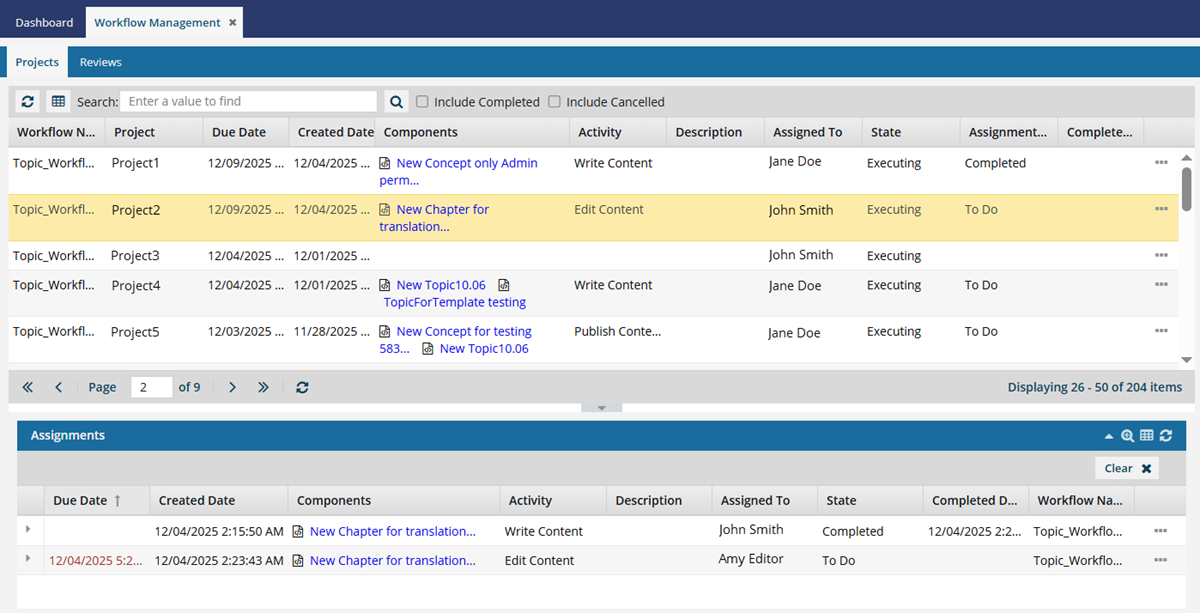
- The Assignments pane shows you all tasks in a workflow. After you select a workflow in the top pane, you can see each assignment listed on their own line and sorted by default according to the assignment's Due Date.
- Reviews. When creating a workflow, you can select the default Sequential Reviewer Workflow. You can use this tab if you want to see only the Review workflows that have been created for all projects in Inspire.
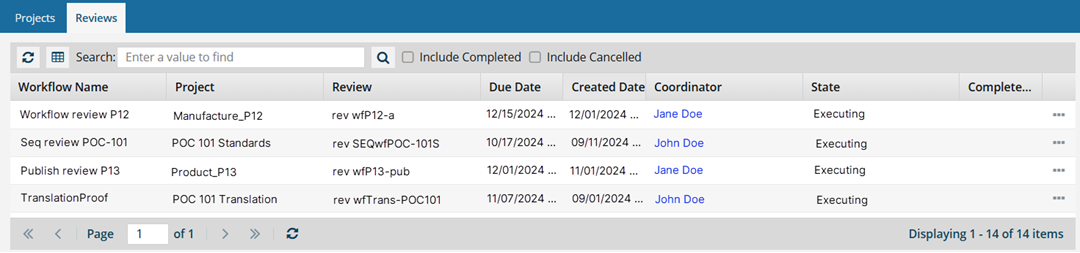
- Projects. You can see all project workflows listed. This list shows you all workflows created across every project in Inspire. By default, workflows that have been Completed or Cancelled are not included, but you can select an option to add them to the list.
 Notes:
You can sort by different columns depending on whether you are on the Projects or Reviews tab.
- You can use Advanced Search on the Projects tab in the main grid and on the Assignments panel.
- You can manage a workflow by opening the project and going to the Workflows panel, or you can manage them here in the Workflows module.
 Cancel a workflow in the Workflows module Remove a workflow in the Workflows module