Update the SFTP integration method
As an administrator, you can update a method to let translation coordinators know how Inspire is exchanging files with an FTP server when content is ready to be translated.
 You must be an Administrator to work with translation integration methods.

 Tips and tricks
- Administrators can read more about the SFTP process for translation in: Add an SFTP integration method.
- You have the option to use SSH File Transfer Protocol (SFTP) to encrypt all data and commands. To take advantage of this you must include an extra layer of protection by using an API key or basic authentication.
 Before you begin
- You must have already Created the SFTP integration method to specify the integration's name and the method as SFTP.
- Your FTP site must be integrated with a secrets manager. For example: Azure Key Vault, AWS Secrets Manager, or a custom enterprise credential vault. This is a system used to store the FTP credentials with a unique name (or key) to identify the secret.
- If a translation job is In Progress and an administrator changes the KeyVault Name in the SFTP Integration Method, then the SFTP Transfer Service receives a notification to update this information in its database. This allows the SFTP integration to continue to work as expected.
To update a translation integration method:
-
From the
 Administration menu, select Translation settings, and then Translation integration management.
-
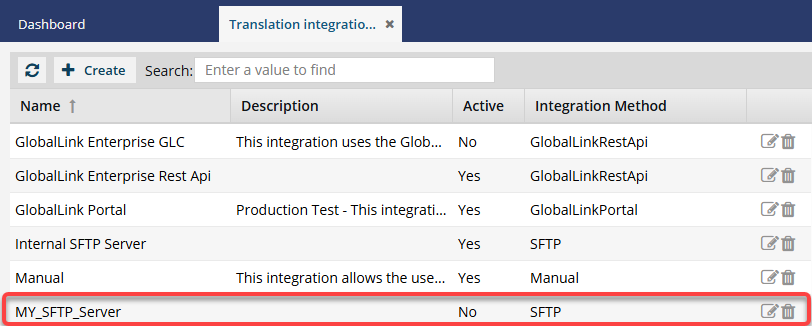
On the Translation integration management tab, double click the SFTP integration method you want to edit.
 Result: You see the details for the integration method on the Edit Translation Integration screen.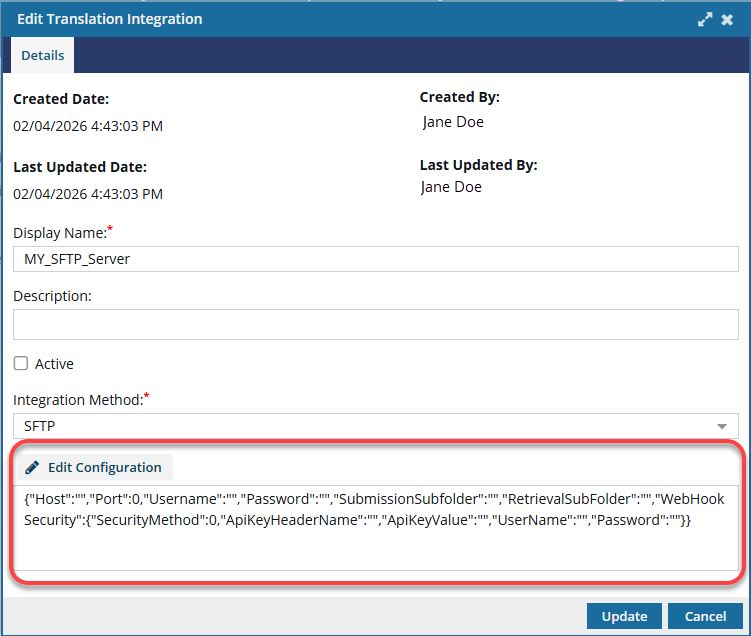
 If the SFTP integration method has just been created, you see the empty JSON file under Edit Configuration.
 -
Select
 Edit Configuration.
Result: You see the details for the integration method on the Edit Translation Integration screen.
Edit Configuration.
Result: You see the details for the integration method on the Edit Translation Integration screen. 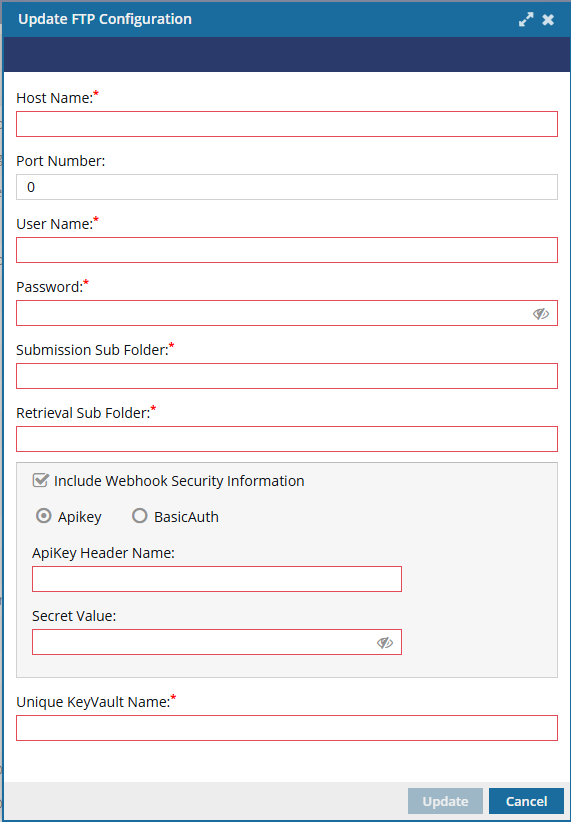
-
On the Update FTP Configuration screen, to enter FTP site details:
-
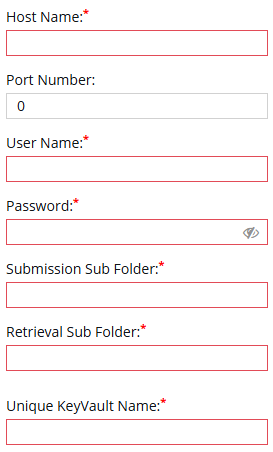
In Host Name, enter a domain that resolves to the server that you want to connect via FTP.
Your host name is generally your domain name. For example, ftp.yourdomain.com.
-
In Unique KeyVault Name, enter the distinct identifier used to store or reference credentials in a secure vault.
This value is something integrated with a secrets manager rather than something inherent to FTP itself.
A Unique KeyVault Name is the label under which the FTP credentials (username, password, API key, certificate, etc.) are stored in the secure vault.
It’s like a folder name or variable name that points to the secret, such as ftp-prod-credentials.
-
In Host Name, enter a domain that resolves to the server that you want to connect via FTP.
-
On the Update FTP Configuration screen, to secure FTP transfers:
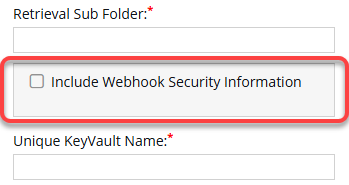
-
Choose how you want to add a layer of protection:
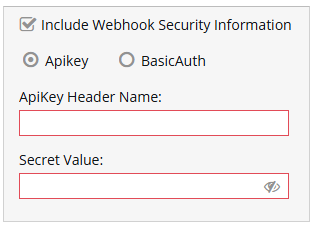
- API key: Uses a single secret token (e.g., X-Webhook-Token: abc123). The server checks whether the key matches the expected value. Best to use if you want a lightweight, single-secret approach.
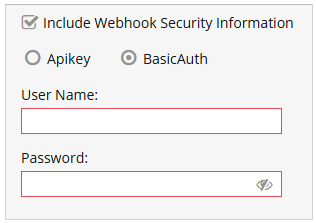
- Basic Auth: Uses a username and password. These are encoded in Base64. The server decodes and validates the credentials. Best to use if you want to reuse existing username and password infrastructure.
- API key: Uses a single secret token (e.g., X-Webhook-Token: abc123). The server checks whether the key matches the expected value. Best to use if you want a lightweight, single-secret approach.
-
If you select Apikey:
- In ApiKey Header Name, enter the text string provided before the key value. For example, if your API key is: X-API-Key: 12345, you would enter X-API-Key.
- In Secret Value, enter the key value. For example, if your API key is: X-API-Key: 12345, you would enter 12345. Secret values are usually very long. If you want to check that what you've entered is correct, you can view the string by selecting
 the eye icon. To hide the value, select
  the eye icon again.
-
If you select BasicAuth:
- In User Name, enter a unique identifier that is used to access your server files via FTP clients.
- In Password, enter the password that was created for your FTP domain. If you want to check that you've entered the correct password, you can view the string by selecting the eye icon. To hide the value, select the eye icon again.
-
Choose how you want to add a layer of protection:
-
On the Update FTP Configuration screen, select Update.
Result: You see the details from the Update FTP Configuration screen as a JSON on the Edit Translation Integration screen.
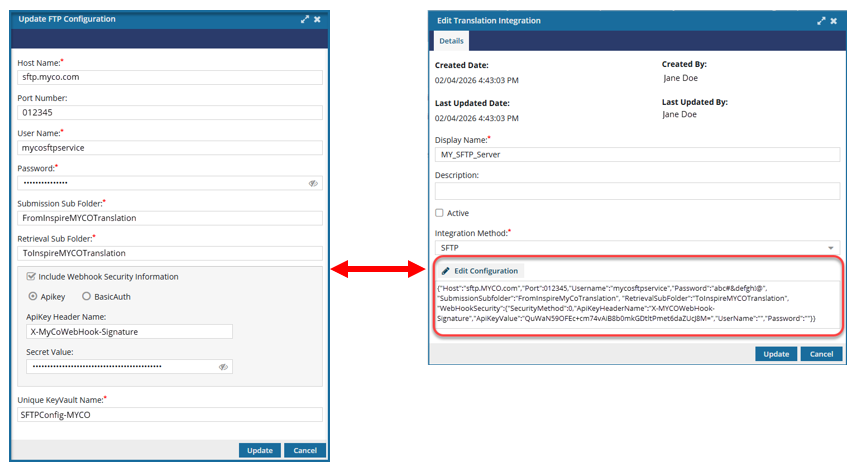
-
On the Edit Translation Integration screen, click Update.
Result: Your changes are saved and the Edit Translation Integration screen closes.