Create the SFTP integration method
As an administrator, you can create a translation integration method to securely automate the transfer of a translation job as a ZIP file to and from an ftp site.
 You must be an Administrator to work with translation integration methods.

 Tips and tricks
- To understand the SFTP process for translation, read Add an SFTP integration method.
- You must name and create the integration method before you can add server details.
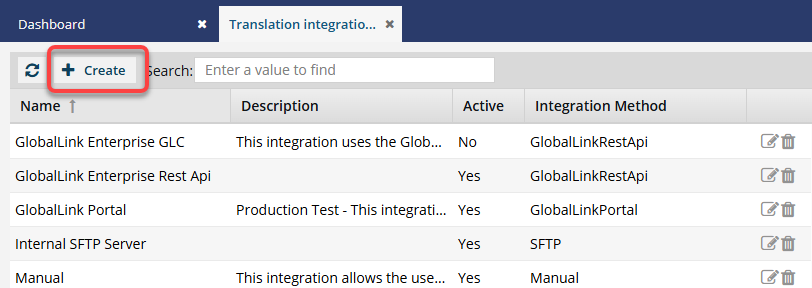
To add an SFTP integration method:
-
From the
 Administration menu, select Translation Settings, and then Translation integration management.
-
On the Add Translation Integration screen:
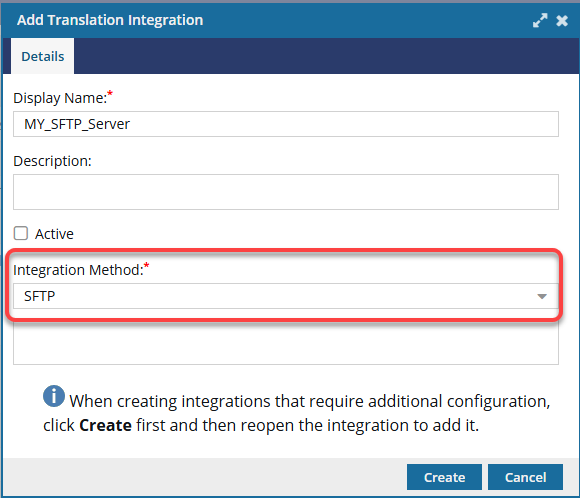
- In Display Name, enter a title using 50 characters or less.
- Optionally, in Description, enter text to help further identify the method, such as when it should be used, in 1000 characters or less.
- If you want coordinators to be able to select this method, select the Active checkbox.
- In Integration Method, select SFTP.
-
On the Add Translation Integration dialog, click Create.
 Results: You see the new method listed on the Translation integration management tab.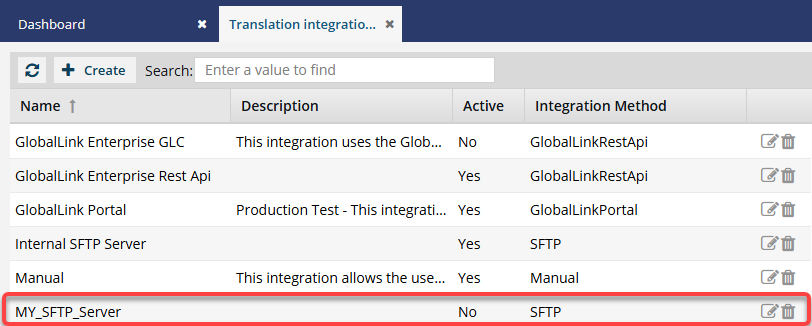
 Next, you must Update the SFTP integration method with server details.