Show branches in the List view
After you create a branch, you can see the list of referenced components in the Branch Management tool. If a referenced topic is also part of another branch, you can see them using  the expand arrow.
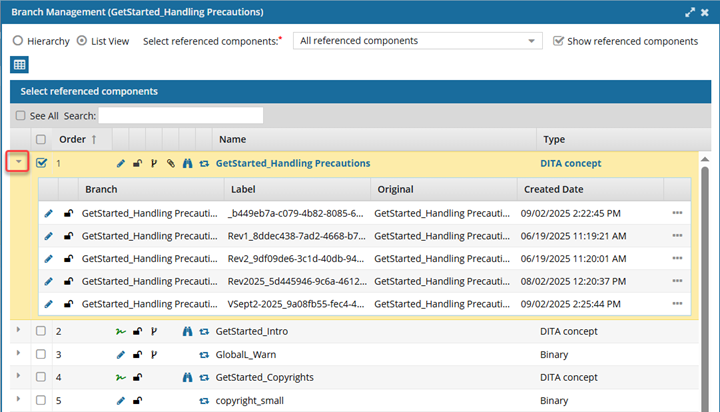
 These steps explain how to show branches in the List view. You can also Show branches in the Hierarchy view.

To show branches in the List view:
-
Click
 Components.
-
In the Components pane, locate the branched component you want to open.
- A black icon
 indicates this is the source component for a branch
 - A green
 icon indicates this was branched because a source component referenced it
 - An orange
 icon indicates this is both the source of one branch and included in another branch because a different source component referenced it
- A black icon
-
Right-click the component, select Advanced, and then select Branch Management.
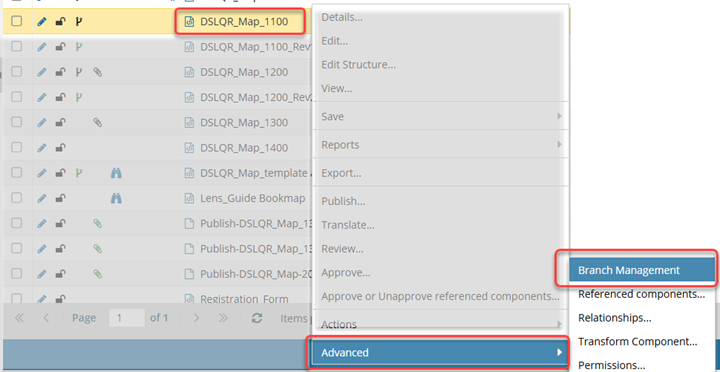
 Results:
 - The Branch Management screen opens.
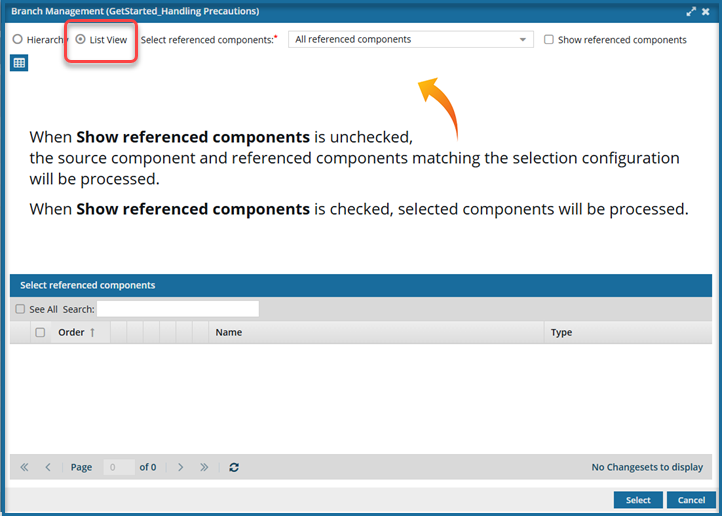
- If this is the first time you have opened this component in the tool, you won't see any references listed.
-
On the Branch Management screen, select List View.
-
If you don't see any references listed:
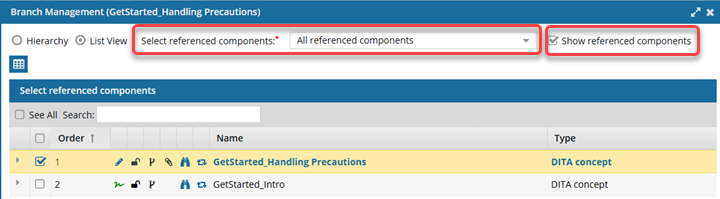
-
At the start of the component's row, click the expand arrow.
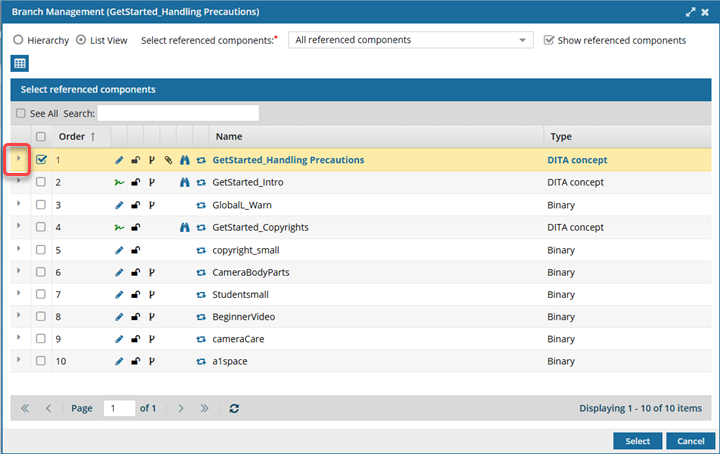 Results:
 - You can see what other branches the selected component has a relationship with.
- You can select a Branch and use
 the Options menu to take the following actions: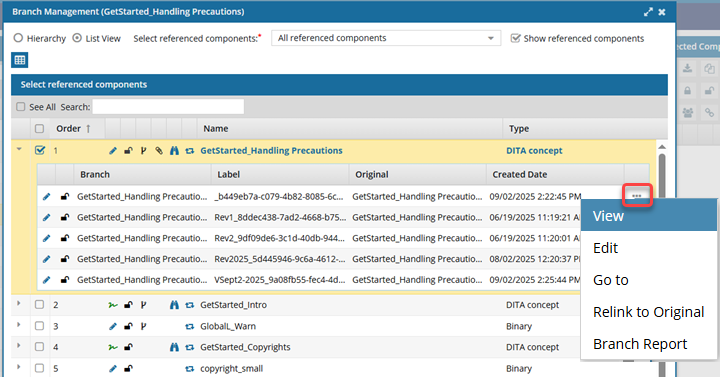
- View a branched component
- Edit a branched component
- Go to a branched component
- Relink a branched component
- Create a Branch Report
- To hide the related branch list, select
 the collapse arrow.