Share a URL for editing from the Component's browser
You can now copy a direct link to a component from the Components browser for sharing and collaboration in other apps, such as chat and email. From the Options and right-click menus, you can copy a URL to your clipboard that lets recipients open the component directly in the Oxygen editor within Inspire.
 Before you begin
- You can also access this action in a project, in the Content pane. Follow the steps in: Share a URL for editing a project component.
- You cannot access these actions in the Selected Components panel.

 These actions are disabled for the following component types:
- Binary
- Workflow
- SKOS (Simple Knowledge Organization System files)
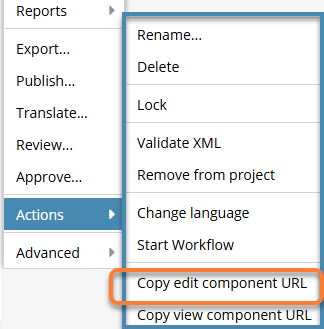
To share a URL for editing from the Component's browser:
-
Click
 Components.
-
In the Components browser, click the component's
 Options menu (or right-click), select Actions, then select Copy edit component URL.
 Results:
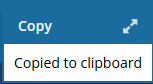
- You see a notification that the URL has been copied to your clipboard.
- When you paste the URL, it takes the following form:
https://inspire.mycompay.com/#component_editor_446330- https. HTTPS uses encryption (typically via TLS—Transport Layer Security) to protect data transmitted between your browser and a website.
- inspire.mycompay.com. This is the host name/domain name being accessed.
- #component_editor_446330. This is a fragment identifier used to open a specific component (44630) in a specific application state (the Oxygen editor).
- You see a notification that the URL has been copied to your clipboard.