Add content to an AI index from selected components
After an administrator creates an index, authors and Inspire users can add data to the index to build up the content for an AI-powered search. For the Submit and Approve actions, Inspire automatically adds data to the appropriate index when a user performs these actions. Users can also manually add data to the index's database for each of these actions.
 To access the premium AI feature, you must purchase it separately. Contact your Vasont customer representative to invest in efficiency and discover how AI can elevate your search experience today!

 Tips and tricks
- Currently, images are not supported in an AI index.
- Building a Submit index. If an administrator has created an index for submittals, Inspire automatically adds component content to the Submit index when authors Submit and Save a component in the Oxygen editor.
- This lets authors working in Oxygen find content that has already been written.
- The more content you add to the Submit index, the more an author can find and re-use content to avoid having to update duplicate content in multiple components.
- Building an Approve index. If an administrator has created an index for approvals, Inspire automatically adds component content to the Approve index when a user approves or signs a component in the Components browser.
- This builds up the content that can be available in a chat bot you provide to your customers. Your users can ask questions and get quick answers without requiring the customer to read an entire published document.
- If you are creating your own chat bot and want to search the content you've added to the Inspire AI Approve index, you can use the ID numbers.
- Updating an index:
- Whenever you update and submit a component, Inspire automatically updates the content in the index.
- To manually add and remove the contents of a component from an index, use the Selected Components pane in the Components browser.
- If you're using an index for approvals, when you unapprove a component, the content remains in the Approve index. However, after you make your changes and approve it again, the old content is replaced with the newly approved content.
To add content to an AI index from components:
-
Click
 Components.
-
To select the components you need, click the checkbox before the Component Name.
 Select components that are appropriate for the index you want to build:
- To build up content that can be available in a chat bot you provide to your customers, select components that have a State of Approved or Signed.
 If you select components that are not signed or approved and try to add them to the Approve index, they will not be added to the index and you see an error in the Issues section of the Notification.
 - To build up content that an author can find and re-use in the Oxygen editor, select components that have content that is commonly re-used. Currently, images are not supported in an AI index.
- To build up content that can be available in a chat bot you provide to your customers, select components that have a State of Approved or Signed.
-
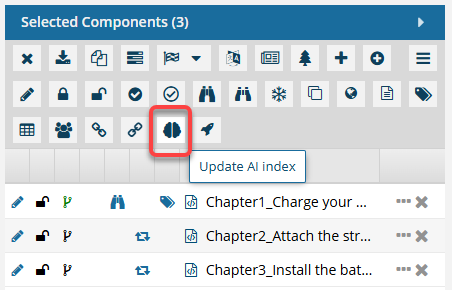
On the Selected Components panel, click
 the AI Assistant option.
-
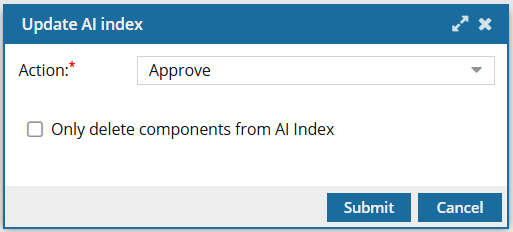
On the Update AI index screen:
-
In Action, select one of the available options. This may include:
- To build up content that an author can find and re-use in the Oxygen editor, select Submit.
- To build up the content that is final and can optionally be made available in a chat bot you provide to your customers, select Approve. If you select components that are not signed or approved, they will not be added to the index and you see an error in the Issues section of the Notification.
 Results: You see a notification when the process starts and completes.
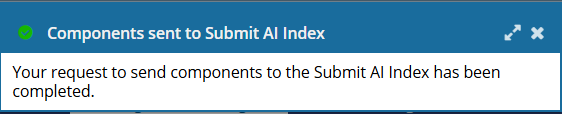 This process is recorded in the Event Log but not in Changesets.You can also go to the Notifications module and see a report on the update process.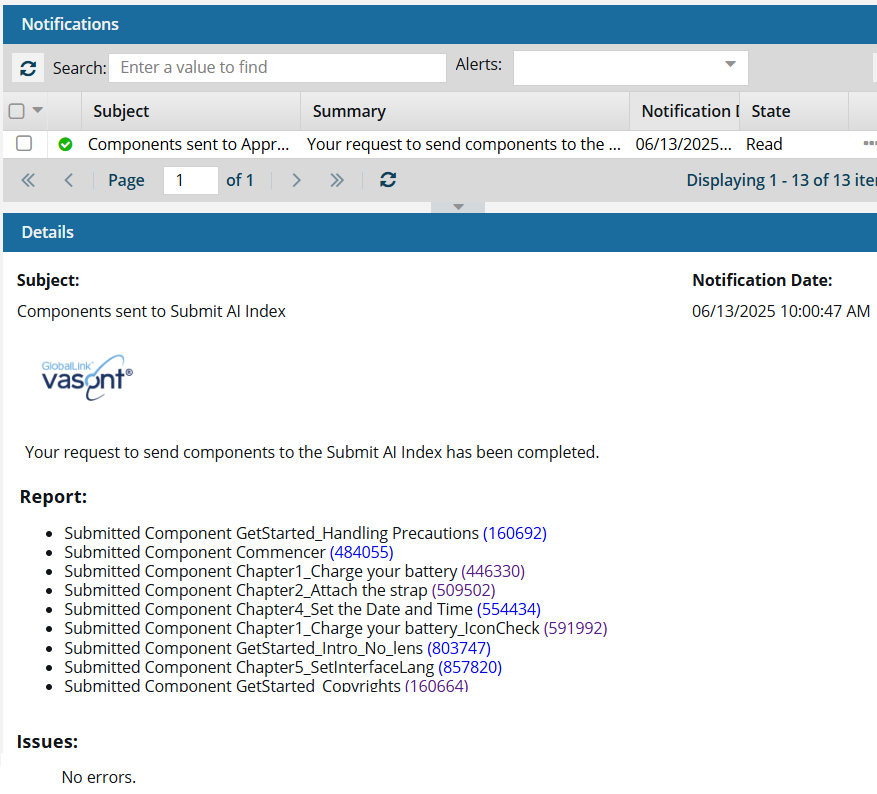
-
In Action, select one of the available options. This may include: