Go to a review from Workflows module
You can use the Workflows module to see all project reviews created in Inspire in one place instead of opening each project separately. After you find the review you need, you can use  the Options menu to quickly open the Projects module or Reviews module to manage the details.
 Tips and tricks
- The Workflows module contains two tabs: Projects and Reviews.
- You can see all assignments that don't have an Activity of Reviews on the Projects tab.
- You can only see all assignments that have an Activity of Reviews on the Reviews tab.
- On both tabs you can see details about the assignment in the workflow, sort the list, search for an assignment, and filter the list.
- You can open a project from both the Projects and Reviews tabs. If you only want to search for a project to open, you can Go to an assignment from Workflows module.

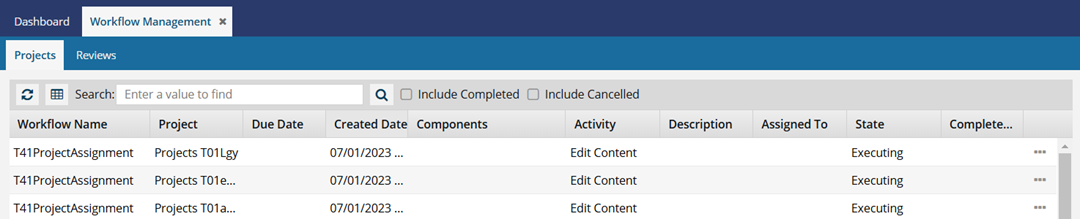
To go to a review from Workflows module:
-
In the top menu, select
 Workflows.
- Find the project that has the review whose details you want to view or update.
-
Right-click the assignment's row, and select one of the following options:
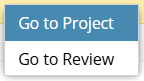
- To open the Projects module and manage the project details, select Go to Project.
- Go to Reviews module and manage the review details, select Go to Review.
 You can also go to the end of the assignment's row, click the Options menu, and select either Go to Project or Go to Review.
 Results: You see the project or review opened in a new tab.