Learn about snapshots
As you work with a component in Inspire, changes between versions are stored in a history record called a snapshot. Inspire creates some snapshots for you. You can also take a snapshot of a component at any time. If you need to work with a previous version of a component, you can restore it from a snapshot. You can also choose to restore the source component and all the referenced content in the snapshot.

 Snapshot FAQ's
What is included in a system snapshot?
Inspire's snapshots contain:
- A copy of the component that was updated.
- All referenced content
- Metadata about the change, such as Updated or Moved.
What is included when I create a snapshot?
If you create a snapshot, you can choose to include only the component or the component along with all referenced content. Metadata is always included.
How do I know which snapshots I created?
- The snapshots you create are listed as On Demand.
- If Inspire creates a snapshot, the Action identifies the change Inspire recognized, such as Updated or Moved.

When I restore a snapshot, what happens?
If you want to replace the current content with a previous version stored in a snapshot, there are two ways you can do it:
 Restore component (Source component ONLY)—Inspire replaces ONLY the component. The current version of the component is replaced with the one you're restoring.

- No referenced content is restored.
- Be aware that this might cause references to change.
 Restore snapshot (Source component + referenced content) — Inspire restores the source component and all referenced content from the snapshot.
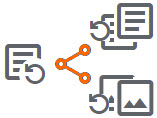
- This action causes more than the source component to be replaced.
- All current referenced content is replaced with the version of the referenced content in the snapshot you're restoring.
Can I restore an older version for audit purposes without replacing the current version?
Not at this time. You can restore the version you want, then make a copy and move it to another folder. Then, in the original folder, you can restore the previous version as the current one.
After I restore a component, why do I get a notification that relationships have been rebuilt?
After you restore a component, Inspire runs a background process called Rebuild all relationships. If this process isn't run, you see the following issues:
- When you right-click a component, select Advanced, and then select Relationships, the list of referenced components isn't correct.
- When you right-click a component and select Export..., the components that Inspire exports aren't correct.
 If you restore a component and are still seeing issues, you can manually Rebuild all relationships.