Delete a validation configuration
After you create a Validation Configuration, if you no longer need it but don't want to update it later or hide it by clearing the Active option, you can permanently delete it.
 You must have Administrator permissions to manage attributes.

 Tips and tricks
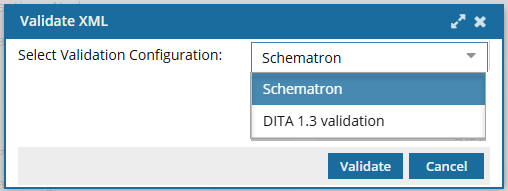
- If at least one Validation Configuration exists, selecting the Validate XML option prompts the user to choose a configuration.
- If there are no Validation Configurations, Inspire uses the Active schemas that are listed on the Component schema management screen. Refer to: Manage XML validation schemas in Inspire.
- You can hide a validation configuration from the Validate XML screen by leaving the Active option unselected. Follow the steps in: Update a validation configuration.
To delete a validation configuration:
-
From the
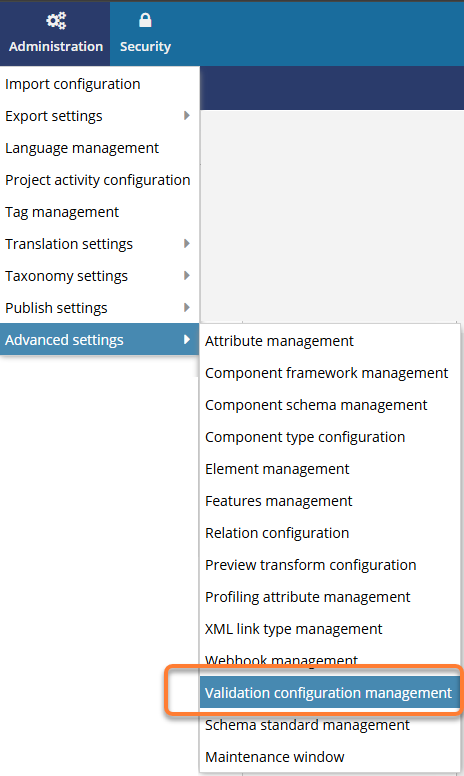
 Administration menu, select Advanced Settings, and then Validation Configuration Management.
-
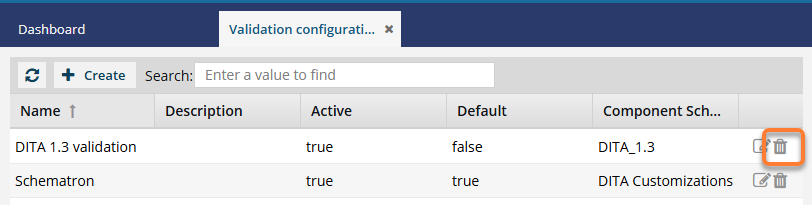
On the Validation configuration management tab, in the row for the configuration you want to remove, click
 Delete.
-
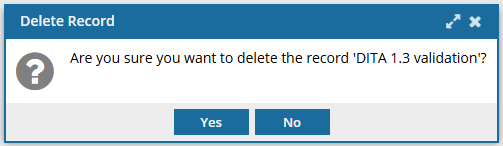
On the Delete Record confirmation screen, click Yes.
 Results:
 - Your validation configuration is no longer listed on the Validation configuration management tab.
- When using the right-click or context menu
 option in the Components browser or a project, and selecting Validate XML, if any other validation configurations exist, users are prompted to select one.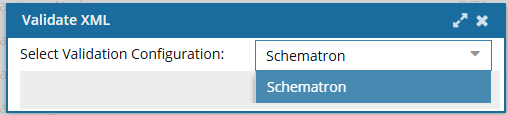
 The configuration you deleted is no longer listed.
 - If there are no Validation Configurations, Inspire uses the Active schemas that are listed on the Component schema management screen. Refer to: Manage XML validation schemas in Inspire.