Archive translation jobs
After a vendor completes the translation work or you've cancelled a job, you may want to remove it from the list on the Translations Management tab to keep the list short. If you want to keep the job details but just hide the job from the list, you can use the Archive option.
 You must have permission to be a translation coordinator or an administrator before you can work with translation jobs.
 Tips and tricks
- The content of the translated job is not removed when you archive a job from the list on the Translations Management tab.
- The translation source files and translated file copies still exist in their folders, which you can find on the Components tab.
- If you want to view details about a translation job from the list again, you can search for the job you archived. Make sure to select the Include Archived option before clicking the search icon
 .
.
- After you archive a job, if you want to remove job details from the list permanently, you can delete it.
- For reporting purposes, you can also export a list of translations to a comma-separated value (CSV) file after the translation jobs have been completed or cancelled.

To archive translation jobs:
-
From the top menu, select
 Translations.
-
On the Translations Management tab, in the list, find the translation you want to archive. Make sure it's in the Completed or Cancelled state.
 If you can't find the job you're looking for, do any of the following:
- If there are multiple pages, scroll to the next page using the controls at the bottom of the list.
- Sort the list by clicking a column heading.
- Search for items in the list that contain a key word or phrase.
- Limit the list to show only jobs in a specific state. Go to States and select an option.
- Show hidden jobs by selecting the checkbox for Include Archived, Include Completed, or Include Cancelled.
-
Right-click the job name or use
 the Options menu to select Archive.
-
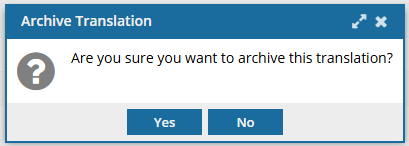
On the Archive Translation confirmation screen, click Yes.