Add an empty topic in a map using Oxygen
When you're organizing topics into a map's hierarchy, you can add references to topics that you know you need but don't want to create yet. In Oxygen XML Editor®, these are known as skeleton topics. After you save your changes in the map, you must create the new topic from the components browser and add content. Then you can re-open the map and add a reference to the empty topic.
 Tips and tricks
- If you want to add a reference to an existing topic, follow the instructions in Add existing topics to a map in Oxygen.
- If you want to add a reference to a topic you haven't created yet, follow the instructions in Create a new topic in a map using Oxygen.

-
Click
 Components.
-
On the Components pane, right-click the map component and then select Edit ...
You can also open the map by:
- Double-clicking
- Clicking
 the Options menu, and then selecting Edit ...
-
To the left of the editing pane, use the slider button
 to open the Outline panel if it's not already open.
-
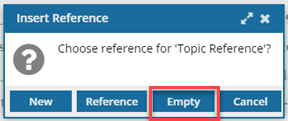
On the Insert Reference dialog, click Empty.
In the Structure pane, a new entry is listed as Topic reference without an ID.
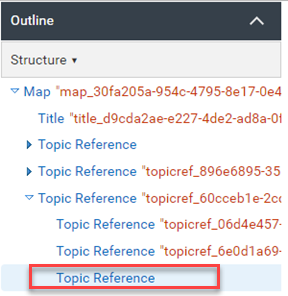
In the editing pane topic without a reference is shown as a document icon
 with no link.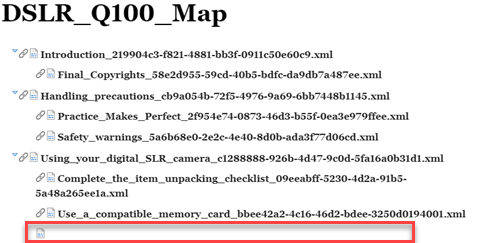
-
To save your changes and close the map, in the toolbar, click the Save and submit icon
 .
.