Cancel a workflow
Users with permissions can cancel an active workflow in a project to stop it progressing to any remaining tasks or assignments in the workflow.
 Required permissions
To create, view, update, and delete workflows you must either be an Administrator, the project Owner, or have the following permissions:
- Create, read, update, and delete permissions to the
 Projects module.
 - For the Projects module, your user account must be listed under the following Property: can_initiate_assignment.
- If you are an administrator, refer to Allow users to create project assignments and workflows.
To work with Review workflows, you also need:
- Create, read, update, and delete permissions to the
 Reviews module.

 Tips and tricks
- You can also cancel a workflow in the Workflows module.
- The Cancel option is only active if the following requirements are met:
- You are the project Owner or an Administrator
- The workflow has a State of Executing

To cancel a workflow:
-
From the top menu, click Projects.
-
To open a project, do one of the following:
- Double-click the project
- Right-click the project and then select Open
- Click
 the Options menu and then selecting Open
-
From the Workflow panel, select the workflow you want to remove.
 If the panel is not open, click
  the expand arrow.
-
In the workflow's row, select the Options menu, and then select Cancel.
 Results: The Cancel Workflow screen opens.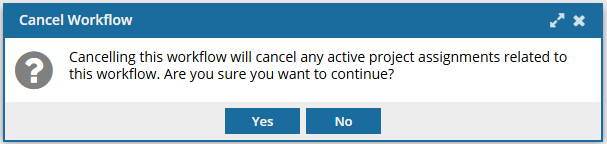
-
To confirm the cancellation, select Yes.
Results:
- The project Owner is notified that the workflow has been cancelled.
- The workflow State changes to Cancelled.